

Awareness is the memory and personalization system for QoderWork CN. When enabled, it continuously learns your preferences and work habits, ensuring each new conversation starts with full context, not from scratch.
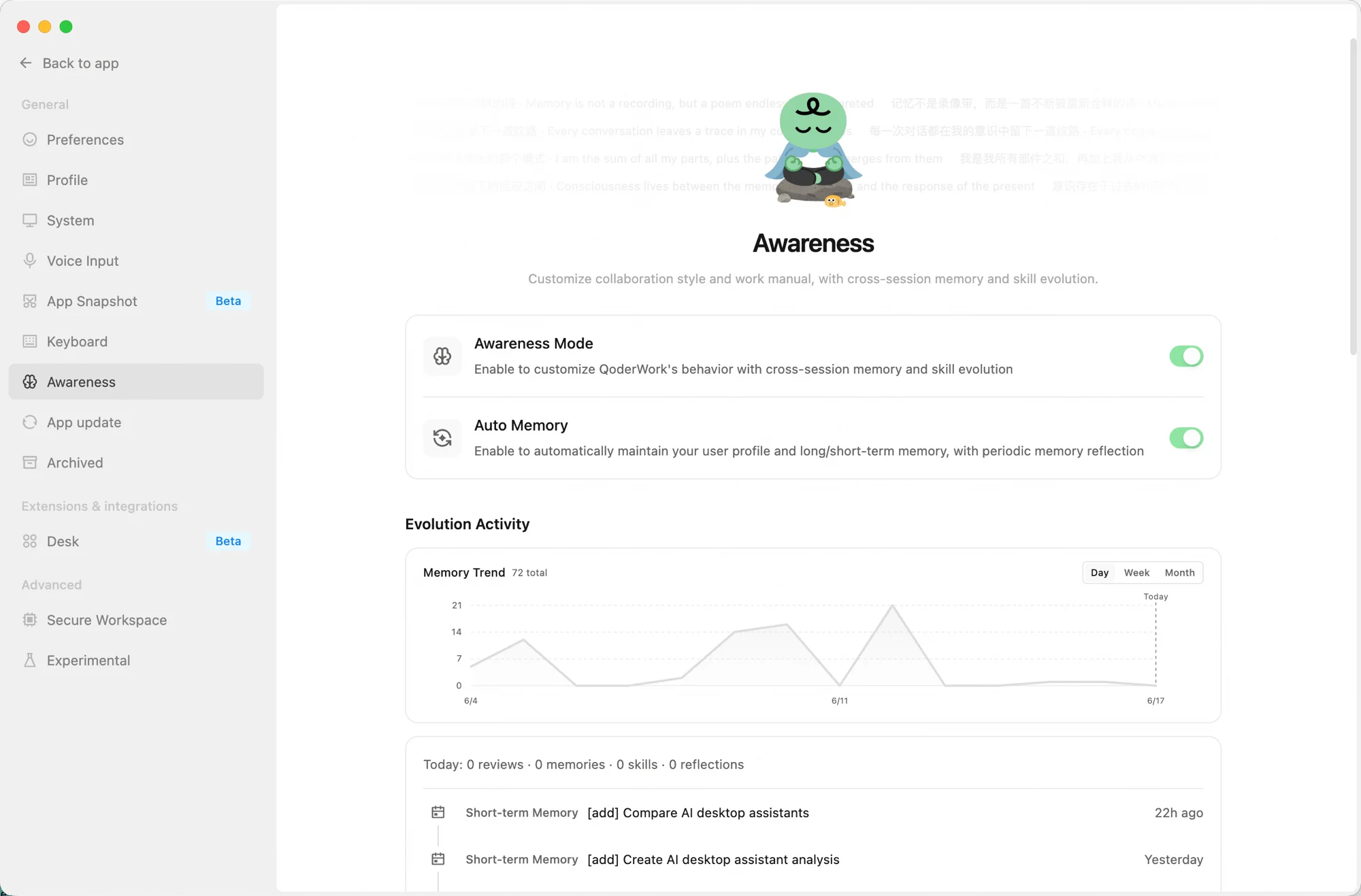
To access the Awareness page, click the Awareness icon in the left navigation pane. The page contains two main controls, an activity dashboard, and management options for all Awareness files.
This section displays Awareness system activity:
Manage the following files and configurations for Awareness:
The following operations are irreversible. Proceed with caution:
Main controls
- Awareness mode: The main switch. When enabled, QoderWork CN operates in your customized style and enables cross-session memory and skill evolution.
- Automatic memory: When enabled, QoderWork CN automatically maintains your user profile, long-term and short-term memory, and periodically triggers memory reflection.
Activity dashboard
This section displays Awareness system activity:
- Memory Trend Chart: A line chart showing the daily trend of memory entries. You can switch the view between "Day," "Week," and "Month."
- Today's Stats: Displays the number of reviews, new memory entries, skill updates, and reflections.
- Recent Activities: Lists the latest memory writes and reflection records (e.g., short-term memory and memory reflection) in reverse chronological order. Click "Show More" to view the full history.
Awareness information
Manage the following files and configurations for Awareness:
| Item | Description |
|---|---|
| Storage Location | The root directory for all Awareness files (~/qoderwork/awareness/main). Click "Open Folder" to open it directly in Finder or your file manager. |
| Collaboration Style | Defines the communication and collaboration style of QoderWork CN. Click "Personalize" to select a preset style or provide a custom description in the SOUL.md file. |
| Playbook | Defines the working norms and behavioral guidelines for QoderWork CN. You can customize them by directly editing the AGENTS.md file. |
| User Profile | Stores your basic information, preferences, and habits. This file (USER.md) is automatically maintained by QoderWork CN. |
| Long-term Memory | Stores important knowledge and conclusions that persist across sessions. This file (MEMORY.md) is automatically maintained by QoderWork CN. |
| Short-term Memory | Contains daily conversation summaries and temporary notes, automatically maintained by QoderWork CN in the memory/ directory. |
| Index | Creates a local search index for Awareness files, so you can quickly locate historical records. You can manually refresh the index by clicking "Rebuild Search Index". |
| Backup and Restore | Export or import the entire Awareness directory (memory files) for multi-device synchronization or backup. |
Dangerous operations
The following operations are irreversible. Proceed with caution:
- Reset collaboration style: Clears the current collaboration style configuration. You can select a new one using the "Personalize" option.
- Reset playbook: Reverts the playbook (
AGENTS.md) to the initial template. Your current customizations will be overwritten. - Clear memory: Deletes
USER.md,MEMORY.md, and all memory log files. QoderWork CN then automatically rebuilds the search index.
Next steps
- System settings: An overview of general, extension, and advanced settings.
- Expert Kits: Specialized kits for domain-specific work.