

Qoder CN IDE fully integrates intelligent coding assistant capabilities and works out of the box—no plugin installation is required to enjoy an efficient, intelligent programming experience.
Everyday Polish
Improvements
- Enterprise plugins can now be distributed centrally through a proxy, enabling smoother deployment and onboarding in restricted network environments.
- Improved the message shown when the tool execution limit is reached, making it clearer why the limit was triggered.
- Session history now opens faster, with less data to load and process during session initialization.
- Reduced unnecessary browser verification steps, shortening wait times and lowering resource usage for more efficient task execution.
Qoder CN IDE Quest Window Retired
Notice
The Quest Window in Qoder CN IDE has been retired. You can continue in either of the following ways:- Migrate to the Qoder CN desktop: Download and install the Qoder CN desktop app, then migrate your data in one click to try a brand-new experience. Your task history, scheduled tasks, memories, MCP configurations, and other assets will be fully preserved. See Data Import for details.
- Keep using the Editor Window in Qoder CN IDE: Agent, Experts, and other modes remain fully available and unchanged. Many Quest Window features have also moved to the Editor Window. See "Features" below.
Features
The following features have moved from the Quest Window to the Editor Window:- Plugin Marketplace: Browse, search for, install, and use plugins.
- Experts Settings: Customize each Expert's models, prompts, Skills, MCP tools, and more.
- Knowledge Cards: Generate, view, and manage Knowledge Cards to help the Agent better understand your project.
- Goal: Set a goal, and the Agent will keep working toward it until the task is complete.
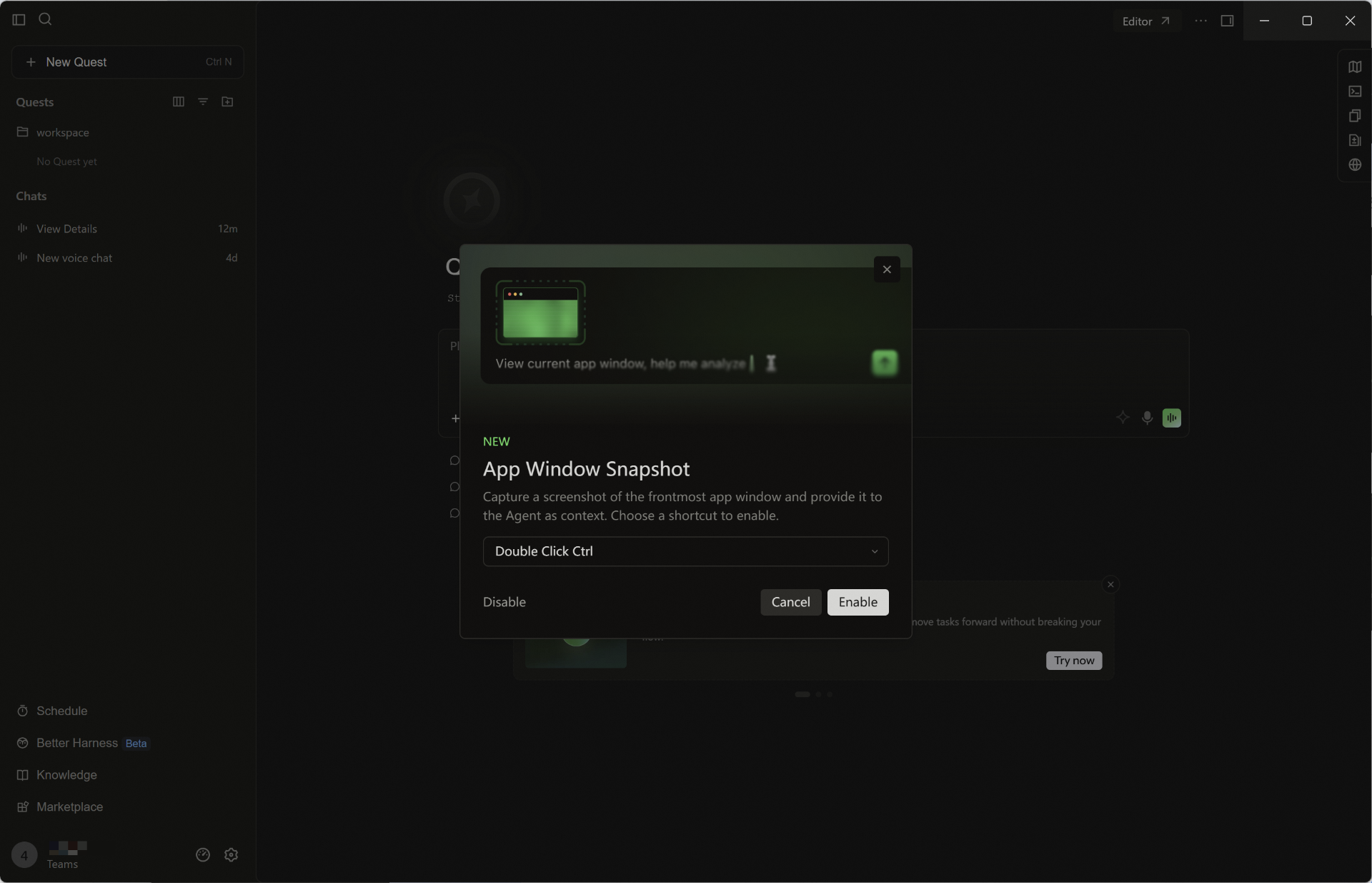
- App Window Snapshot: Double-press the ⌘ Command key to capture the active app window and share it with the Agent as context, so it can quickly understand what you're looking at.
Fast Models: Faster Responses, Less Waiting
Features
- Fast models: Get faster responses with less waiting for a smoother conversation experience.
Improvements
- Added a notice that the Quest window will be retired soon.
- The Q&A panel in the conversation flow can now be expanded or collapsed as needed.
- Improved performance in long conversations and large edits, with fewer freezes and crashes.
- Improved the SSH remote experience with more reliable connection and setup.
- Improved how model requests are sent, so large requests go out faster and responses stay more stable on weak networks.
- Adjusted how often automatic incremental indexing runs, so frequent indexing uses fewer resources.
Everyday Polish
Improvements
- Optimized subagent history loading with on-demand loading
- Reduced resource usage for large-file reads and Git statistics to ease memory pressure during prolonged use
Fixes
- Fixed large projects hanging during initialization
- Fixed truncated responses, unexpected line breaks, and background file changes interrupting Diff reviews
- Fixed file write timeouts after reconnection, missing tool cards, and indefinite waits after disconnection
- Fixed update installation failures on macOS and shortcuts pointing to the old version after cross-drive upgrades on Windows
Everyday Polish
- Improved search when referencing folders with @, with results filtered as you type.
- Added an explanation of codebase index creation when opening a project for the first time.
- Fixed an issue where newly added code in historical diffs could not be added to a conversation to ask a question.
- Fixed an issue with link navigation in the changelog dialog.
Routine Improvements
Improvements
- Experts Access in the Editor Window: You can now use Experts (Expert Team) mode in the Editor window.
- Faster Startup and Responses: Reduced repeated Shell environment collection and local connection wait times. Skill monitoring no longer blocks new conversations. On cold starts, the conversation panel appears first while history is restored in the background.
- Lower Memory Usage in Long Conversations: Idle file-editing resources are released promptly, unnecessary references associated with Markdown, terminal tabs, and message streams are cleared, and resource limits and close handling for image previews are improved.
- Visible Automatic Retry Progress: Model requests are automatically retried when they fail or the model is busy, with retry status displayed so you can follow progress.
Fixes
- Fixed an issue where chat history did not automatically recover after a brief disconnection, and improved the resume logic when reopening previous prompts.
- Fixed issues with login redirects and update restarts across windows, and reduced exit confirmation prompts triggered by waiting tasks that can be resumed.
- Fixed an issue where sub-agent commands were routed incorrectly in certain scenarios.
- Fixed garbled terminal output and duplicate file display on Windows.
Routine Improvements
- Improved performance of the long-session page.
- Qoder CN IDE now enters the Editor window by default on startup.
- Improved the preparation flow before agent responses to reduce unnecessary waiting and make the first response faster and sessions smoother.
- Improved the message shown when the first response times out, making the wait reason and next steps clearer.
- Improved WSL startup speed and connection stability.
Qoder Security: Enterprise Security Governance Upgrade
Features
- Group Management and Custom Rules: Administrators can manage groups and customize L1 regular expression rules and L2/L3 scanning prompts to better align scans with enterprise security standards.
- Full Scans in the Cloud and Vulnerability Dashboard: L4 full scans now run asynchronously in the cloud, removing the 10,000-line code limit. The enterprise vulnerability dashboard helps administrators quickly assess overall security risks.
Improvements
- Security plugin dependencies now download asynchronously, reducing interruptions to user operations.
- Improved the vector memory write process after database recovery for more reliable memory creation.
Private Domain Control for Enterprise Dedicated Edition
- Added Private Domain Control (PDC): Qoder CN Enterprise Dedicated Edition consolidates previously scattered internet egress capabilities within the customer's VPC under Security > Private Domain Control, enabling centralized outbound access control, enterprise-managed allowlisting, and end-to-end auditing. Administrators can switch among Isolation, Controlled, and Enhanced modes with one click and fine-tune individual settings. Policies are forcibly distributed to endpoints and cannot be overridden by users. This capability currently supports enablement only for selected enterprise customers. For details, see the Private Domain Control documentation.
Installation Directory and Main Executable Name Changes
Installation directory and main executable name changes: After the Qoder CN desktop application was renamed to Qoder CN IDE, its installation directory and main executable names changed accordingly:- macOS: The application path changed from
Qoder CN.app/Contents/MacOS/ElectrontoQoder CN IDE.app/Contents/MacOS/Qoder CN. - Windows: The installation directory changed from
QoderCNtoQoder CN IDE, and the main executable changed fromQoderCN.exetoQoder CN IDE.exe. - Linux: The package name changed from
qoder-cntoqoder-cn-ide, and the main executable path changed from/usr/share/qoder-cn/qoder-cnto/usr/share/qoder-cn-ide/qoder-cn-ide.
App Window Snapshot Now Available on Windows
Features
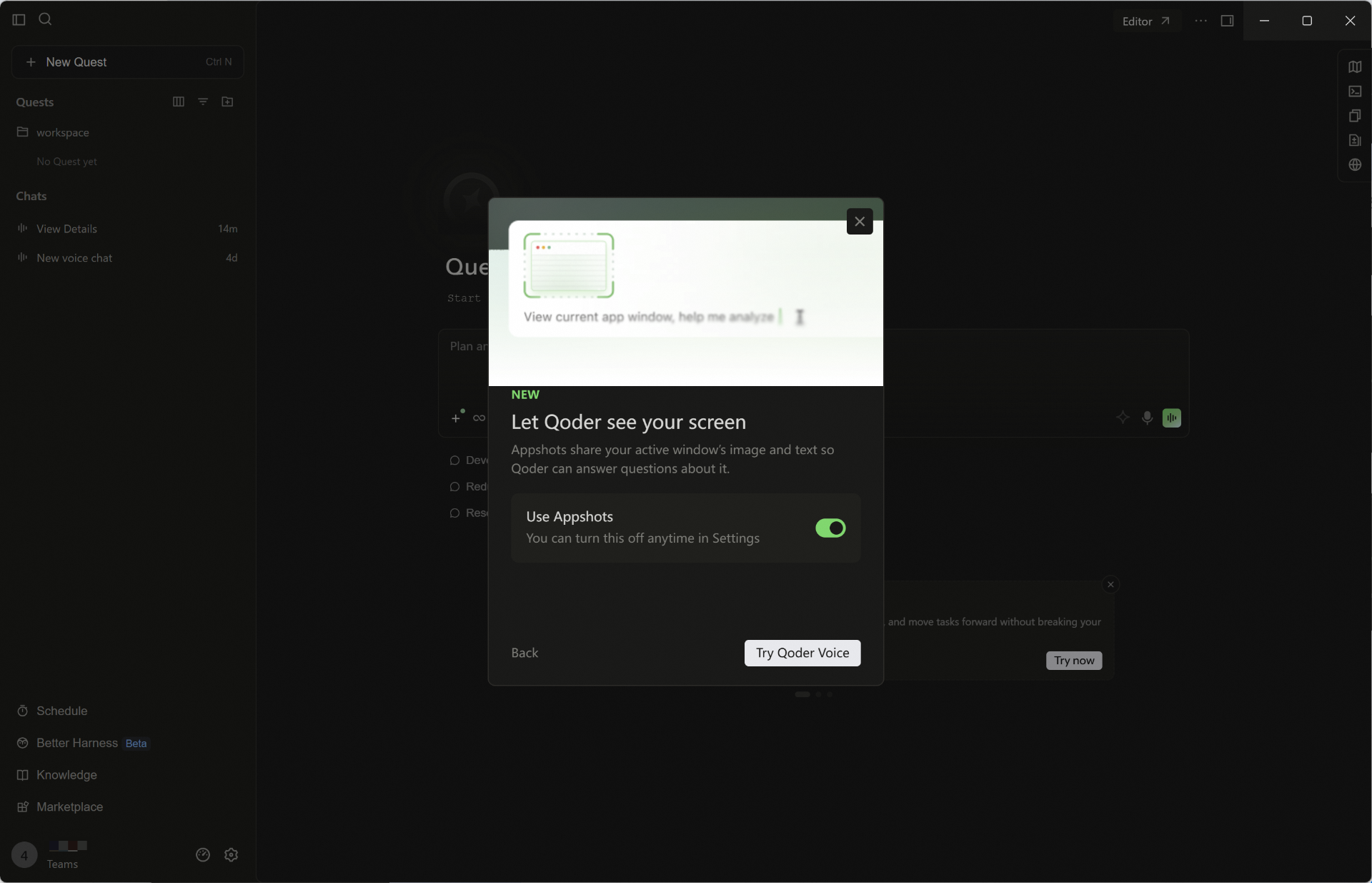
- App Window Snapshot for Windows: Double-tap Ctrl to capture the frontmost app window, or let real-time voice read the foreground app when you mention what is on screen. The image is passed to the agent as context so it can understand what you are viewing faster.
- Marketplace Chinese Localization: The Marketplace supports a Chinese interface, making plugin browsing, search, and use more user-friendly in Chinese.
Improvements
- Added client information reporting for Qoder CN IDE, helping enterprises centrally manage members' client details.
Qoder CN Application Renamed to Qoder CN IDE
Notice
As part of the Qoder family brand upgrade, the existing Qoder CN product has been renamed to Qoder CN IDE to more clearly reflect its positioning as an IDE product. Only the name is changing. Features, data, accounts, and services are not affected.Starting August 14, 2026, the application's display name changes from Qoder CN to Qoder CN IDE with version 1.24.2.[Upcoming Change] Starting August 21, 2026, the installation directory and related path names will be updated with version 1.26.0 as follows:- macOS: The application path changes from
Qoder CN.app/Contents/MacOS/ElectrontoQoder CN IDE.app/Contents/MacOS/Qoder CN. - Windows: The installation directory changes from
QoderCNtoQoder CN IDE, and the executable changes fromQoderCN.exetoQoder CN IDE.exe. - Linux: The package name changes from
qoder-cntoqoder-cn-ide, and the executable path changes from/usr/share/qoder-cn/qoder-cnto/usr/share/qoder-cn-ide/qoder-cn-ide.
Improvements
- The one-click prompt improvement button now displays a tooltip by default regardless of input length, making the feature easier to discover and use.
- Knowledge card prefetching is now enabled by default for smoother content loading and reduced wait times.
Conversation-level code review and Spec experience improvements
Features
- Code review now defaults to conversation-level scope: When a review is triggered with the built-in command, it reviews changes related to the current conversation by default.
- Improved Spec experience: You can copy content, quickly open its containing path, and navigate to the downloaded path.
Improvements
- Improved knowledge retrieval in multi-repository workspaces for more efficient cross-repository information discovery.
- Enhanced prompt improvement capabilities, allowing related actions to be triggered more quickly through Slash Commands.
- Hooks now support passing arguments, increasing the flexibility and configurability of automated workflows.
- Improved detection of potentially dangerous commands, covering more high-risk Git subcommands and strengthening pre-execution warnings.
Real-time voice collaboration and scheduled task upgrades | Qoder CN IDE feature alignment with Qoder IDE
Feature updates
- Quest Live Voice supports workspace binding: When starting a real-time voice session, you can select its workspace. The voice task automatically uses the corresponding project context and is archived in the correct location.
- Real-time voice supports voiceprint recognition: Enable voiceprint recognition under Settings > Voice > Live Voice to identify the current user's voice more accurately in multi-person or noisy environments.
- Side tasks: For details or follow-up questions derived from the main task, you can start related side tasks and process them in parallel without interrupting the main workflow.
- Comprehensive scheduled task upgrade: Quickly create tasks through a conversation or manual configuration, with support for more scheduled task types. A new unified management module makes tasks easier and more efficient to view and manage.
- One-click plugin installation through Deeplink: Open a link to start installation, making plugins easier to share and distribute.
- HTTP Hooks: At key points such as tool calls and sessions, events are automatically sent to your configured HTTP endpoint. Based on the response, Qoder can allow or block the action, or inject context, enabling centralized security policies, auditing, and external integrations.
Experience improvements
- Fixed an issue where WSL could occasionally disconnect.
- Optimized the default maximum turn limit for goal-driven execution.
- Improved the responsiveness of the creation flow, reducing wait times when creating tasks and opening related interfaces.
- Improved Search Agent prompts with Markdown structure for clearer, more readable results.
Qoder Voice real-time voice interaction, Quest plugin marketplace, Better Harness engineering practices, and enterprise capability updates
Feature updates
-
Qoder Voice — the first Agentic platform in China to launch real-time voice interaction:
- Speak to start working: say your idea out loud and it is turned into a task and continuously advanced, saving you the hassle of typing word by word.
- Cross-screen workflow: the floating ball stays on top of any application, turning what you are viewing into context so Qoder can see your work in progress.
- Progress like a chat: discuss ideas, organize your thoughts, and clarify requirements through natural conversation—lightweight and without interrupting your flow.
- Quest mode now supports plugin marketplace management: Added details such as plugin categories and download counts, supports setting the installation scope at the user or project level, and provides enable/disable management. It also supports creating and importing custom plugins, helping you discover, manage, and use plugins more efficiently.
- Better Harness is now available for building better harness engineering: Added Better Harness, which inspects harness engineering practices in your project across multiple dimensions and provides targeted improvement suggestions. It supports one-click fixes, with the Agent automatically analyzing issues and generating fix plans.
- Canvas now supports sharing and annotation: Added the ability to share Canvas content within the enterprise, making it easy to share canvas content internally. Also added Canvas annotation, making it convenient to modify and refine canvas content directly.
- Markdown files can now be edited in preview mode: In the Quest window, you can edit Markdown files directly while previewing them, making the operation more convenient.
- Enterprise edition capability updates: The Qoder CN (Full Suite) Enterprise Standard Edition / Enterprise Dedicated Edition also add the following features:
- Enterprise-level unified MCP control: enterprise administrators can centrally control member access to MCP Servers to protect enterprise data security.
- Enterprise private plugin marketplace: supports browsing, installing, and using enterprise private plugins, enabling internal plugin sharing and distribution.
- The Qoder CN (Full Suite) Enterprise Dedicated Edition now supports QoderWake CN and Qoder CN Mobile.
Experience improvements
- Clearer conversation revert: improved the interaction feedback after Revert is triggered, helping you more intuitively understand the revert scope and current state.
Qoder Security officially released, with new action recommendation cards
Feature updates
- Qoder Security officially released: Focused on security in the AI coding era. Supports L1 / L2 / L3 progressive three-tier scanning, embedding security review into every stage of code generation, conversation, and commit, with one-click quick fixes—so every line of code is secure the moment it is committed.
- New action recommendation cards: Intelligently suggests next-step actions based on the current usage scenario, improving operational efficiency and the overall experience.
New Enterprise edition, browser visual annotation, and comprehensive Hook upgrades
Feature updates
- Comprehensive Hook capability upgrade: Added five new event types: SessionStart, SessionEnd, SubagentStart, SubagentStop, and Notification. Introduced Hook asynchronous rewake capability (asyncRewake). Tool events now support
ifconditions to match specific tools. - Browser visual annotation: Directly select elements and annotate regions during browser operations to assist page visual debugging and adjustment.
- Voice input: After speech-to-text conversion, spoken language is automatically optimized for clearer, more natural input—improving dialog quality with the agent.
- Workspace supports multiple folders: Quest now lets you add multiple folders to a single Workspace, enabling flexible organization and management of multi-directory content in one workspace.
- Support for Qoder CN Series Enterprise subscription: Qoder CN Series Enterprise edition includes all Teams features and adds group-based permission and billing management, multi-dimensional model policy governance, plugin sharing and distribution governance, an enterprise private capability marketplace, operation auditing, and priority service support. Migration from Qoder CN (formerly Lingma) Enterprise Standard Edition to Qoder CN Series Teams and Enterprise editions is supported. After the upgrade, enterprise members can log on with a new account and migrate AI data (such as conversation history, rules, memory, agents, and code indexes) from the original instance account to the new account, preserving history.
Optimizations
- Optimized the Experts task dispatch strategy to avoid duplicate dispatch of Experts with the same name and reduce conflicts between running tasks.
- Improved knowledge card generation and retrieval efficiency for a better organization and lookup experience.
Long-horizon task orchestration, conversation-level Fork, and a fully upgraded Quest window experience
Model context and thinking mode configuration:
Both built-in models and BYOK custom models now support adjusting the Context (context window) and Thinking Effort parameters, enabling flexible adaptation to different task scenarios.Goal-driven and scheduled execution for more reliable long-horizon tasks:
Focused on improving the execution experience and effectiveness of long-horizon tasks. You can use Spec to organize the execution plan, or use a Goal to clearly define the expected result, and combine them with scheduled tasks to launch the task automatically at an appropriate time—no need to stay online. The task will continue to progress on schedule and ultimately deliver the result. Combined with the Qoder CN Off-Peak discount campaign, executing long-horizon tasks during off-peak hours can further reduce Credits consumption.- Goal-driven task execution: Supports setting a goal in the Quest window; the agent will continue executing around the goal until the task is complete.
- One-time scheduled tasks: Supports setting a Goal or Spec as a one-time scheduled task, launching execution at a specified time.
- Set Spec as goal for execution: After generating a Spec, you can directly set it as a goal and initiate execution.
- Steer: Supplement direction or refine requirements at any time during task execution, reducing interruptions and repeated restarts.
Quest window supports mobile remote control:
Added a remote control switch that supports one-click enable/disable of mobile remote control at the workspace or global level. Once enabled, users can view and handle Quest tasks anytime, anywhere on mobile; once disabled, the remote switch is immediately disconnected. Switch configuration changes take effect quickly, with no need to restart or wait for a sync cycle.Conversation-level Fork for flexible branched follow-ups:
Supports initiating a Fork from any conversation turn within a Quest task to create a new Quest task branch and continue asking follow-up questions, enabling more freely branching exploration across multiple directions.Full upgrade to the core Quest experience:
- Task sidebar upgrade: Added grouping, sorting, and show/hide customization components, improving efficiency when viewing and switching between multiple tasks.
- Worktree collaboration: Added uncommitted change handling and worktree cleanup capabilities, making task branch management clearer and more controllable. Optimized the collaboration flow with support for handoff.
- Browser state reuse: Reuse browser state when switching sessions within the same workspace, reducing repeated openings and reloads.
- HTML file preview: Supports previewing HTML files directly in Quest scenarios, making it more convenient to view page effects.
- Quest annotations can be added directly to context: Supports adding annotations to specific content in Spec, code, and Diff views, and delivering the feedback directly to the agent to help it accurately understand the modification requirements.
- File operations and interaction: Enriched right-click menu operations for the file tree, centralizing commonly used file operations. Supports adding external files to the file tree via drag-and-drop and other methods.
- File tree styling: Optimized the overall file tree styling to align with the editor area style.
- Text file handling: Optimized how manually imported text files are handled, avoiding content truncation and misunderstanding.
- Knowledge card export: Optimized the export structure of knowledge cards, improving the clarity and usability of export results.
- Canvas recognition: Optimized Canvas's recognition of project configurations, improving code understanding and diagnostic accuracy.
AI conversation experience improvements:
- Improved the interaction when the input box exceeds the character limit; the excess content will be automatically converted into a file attachment.
- Conversation streams now support more efficient collapsing of lengthy conversation streams.
- Optimized the compression strategy when triggering sync, reducing extra overhead and improving processing efficiency.
- Optimized the wait time for the first message sent in a new conversation, improving initial interaction response speed.
Memory system self-evolution:
More accurate context understanding and more persistent long-term memory; optimized memory lifecycle management and multi-dimensional tracking for more coherent personalized responses.Performance and stability:
- Desktop architecture: Improved compatibility and runtime stability.
- Remote SSH network: Optimized the network proxy path, improving transmission stability in remote connection scenarios.
Feature Updates
- Added Qoder CN Enterprise Edition, which supports logging in to Qoder CN IDE, Qoder CN CLI, and QoderWork CN with a single account.
- The Expert Team now supports Qwen 3.7-Max and GLM-5.2.
- Computer Use now supports Windows: Computer Use capabilities are now available on Windows devices.
- More controllable RepoWiki generation: RepoWiki generation now supports upfront intervention. Before generating a RepoWiki, you can first specify the analysis scope and focus perspective, generate a knowledge generation plan file through interactive dialogue to guide RepoWiki generation, and support human-machine collaborative knowledge generation, editing, and rewriting.
- Quest now supports workspace-free sessions: You can start a session directly without opening a workspace first, ideal for quick questions and lightweight tasks.
- Quest tasks now support quick conversation navigation: The Quest window adds a side navigation capability, making it easy to quickly jump to a target conversation segment.
One Subscription, Universal Across All Products: The Unified Credits System for Qoder CN Personal Edition Is Now Officially Available
The Qoder CN full product matrix now offers unified cross-product Credits metering for individual users. Whether you complete AI-assisted coding in Qoder CN IDE or perform desktop intelligent collaboration in QoderWork CN, you can consume the same Credits allowance—no need to subscribe to and manage different products separately.New
- One universal account for Qoder CN (all-in-one bundle): A single Qoder CN account seamlessly logs in to the IDE / JetBrains Plugin, QoderWork CN (desktop), Qoder CN CLI (terminal), QoderWake CN (digital employee), Qoder CN Mobile (mobile), and Cloud Agents (cloud Agent), with no need to register separately.
- Unified Credits resource pool: The Credits balance of your original account will be converted at a 1:1 equivalent to your new all-in-one bundle account, with the validity period recalculated as one month starting from the upgrade date.
- Limited-time model benefit: Upgraded users can enjoy a limited-time offer of 200 free daily calls to Qwen3.7-Max (the end date is subject to the official website announcement).
- Full AI data retention: Historical conversation records, personalized rules, memory, skills, agents, code indexes, and common plugin settings are all migrated losslessly to the new account.
Changes
- Login entry point switch: Upgrade automatically through the "Alibaba Cloud account login" entry point. After a successful upgrade, please log in using the "Qoder CN account login" entry point; the original login method will no longer be available.
- VSC plugin support discontinued: The original Qoder CN (formerly Lingma) VSC plugin has been marked as Deprecated and is no longer part of the all-in-one bundle product matrix. We recommend switching to Qoder CN IDE.
- Automatic order refund: After the upgrade, fees for the next cycle and beyond of your original subscription will be automatically refunded via the original payment path, and auto-renewal orders will be canceled accordingly—no manual application required.
Other Features
- Built-in expert agents now support custom prompts: Built-in expert agents now support configuring custom prompts, making expert capabilities better aligned with team standards and personal usage habits.
- Custom sub-agents now support model configuration: When creating a custom sub-agent, you can specify the model as needed, making it easy to choose the model capabilities best suited to different tasks.
Feature Updates
- Quest window now supports custom layouts and the "My Quests" task board: The Quest window supports dragging to split panes for handling multiple tasks in parallel, and adds a "My Quests" board that summarizes all Quests by status, giving you a full view of progress at a glance.
- Expert Team now supports custom models: Flexibly configure the models used by the Expert Team and sub-agents, switching between built-in models or using custom models to adapt to more task scenarios.
- Computer Use and window snapshot capabilities launched on Mac: Once authorized, the Agent can invoke computer operations on macOS and control apps in the background to complete complex automation tasks; double-tapping ⌘ Command captures a screenshot of the frontmost window as context for the agent, enabling more precise understanding (macOS only).
- Support for using Dev Containers in SSH Remote: Dev Container support has been added in SSH Remote scenarios, along with support for attaching to any Docker container, improving the flexibility and consistency of remote development environments.
- Enhanced code review capabilities: Added support for /ultra review, improving the analytical depth and suggestion quality of code reviews, helping you discover potential issues and improve implementations faster.
Feature Updates
- Added /canvas visualization generation capability: Supports triggering the generation of interactive Canvas views via /canvas, making content organization, report presentation, and analysis more intuitive.
- Enhanced code review capabilities: Added support for /ultra-review, improving the analytical depth and suggestion quality of code reviews, helping you discover potential issues and improve implementations faster.
- Added resource packs for the enterprise standard subscription of the Credits billing system. Enterprise administrators can also configure resource pack usage limits for members.
Fixes
- Fixed known issues
Lingma Upgraded to Qoder CN
Feature Updates
- Standalone Quest window & fully revamped Editor: Quest has been upgraded from an in-IDE mode to a standalone window, becoming the command center of the Agent First working paradigm. It supports running Agent tasks for different projects across multiple Workspaces simultaneously, tracking global activity in real time from a unified panel, and automatically generating a delivery checklist when tasks are complete; the Editor window has been fully upgraded, delivering a smoother human-machine collaborative coding experience.
- Experts (Expert Team) mode now officially available: Multiple experts work in parallel for high-quality delivery, covering the full chain from solution design to coding to quality inspection, and supporting an end-to-end pipeline from solution design to code delivery; a self-evolving AI team that understands you better the more you use it, continuously learning your coding style and accumulating dedicated collaboration experience; five types of experts—planning, research, coding, review, and testing—have officially joined Quest, completing end-to-end delivery in a pipeline manner; support for custom experts—configure domain knowledge, skills, and tools to build a dedicated Agent team tailored to your business scenarios.
- Added support for models such as GLM-5.1 and Kimi-K2.6: Providing more model choices for intelligent Q&A and agent mode.
Billing and Entitlement Changes
- Qoder CN (formerly Lingma) has been upgraded to a Credits-based billing system, where all version subscription plans deduct Credits based on actual usage. For details, please refer to Billing Description Billing Description.
- Existing enterprise edition subscriptions will continue at the original pricing and entitlements within the current contract cycle; new seats or renewals will follow the new pricing.
Feature Updates
- Support for upgrading Lingma IDE to Qoder CN IDE:
- Upgrade to Qoder CN to unlock a brand-new experience. Standalone Quest window: immersive conversations for a more focused workflow. Fully revamped Editor: a smoother human–AI collaborative coding experience. Credits subscribers also gain Experts mode and models such as GLM-5.1 and Kimi-K2.6.
- Seamless migration, no worries. Your historical conversations, rules, memory, agents, and code indexes are automatically retained.
Feature Updates
- Code Review agent: Supports /code-review, with a built-in Code Review agent that can trigger a code review within a specified scope in a conversation while in agent mode
- Browser agent: Supports /browser, with a built-in Browser agent that accesses web pages and reads online documents via the /browser command in agent mode
- Hook mechanism: A brand-new Hook mechanism has been introduced into the Agent execution flow, allowing custom logic to be inserted at key points of agent execution. It supports events such as UserPromptSubmit (user submission), PreToolUse (before tool invocation), PostToolUse (after tool invocation), PostToolUseFailure (tool invocation failure), and Stop (stop)
Experience Improvements
- Clearer conversation rollback operations: Improved the interaction feedback after Revert is triggered, helping users more intuitively understand the rollback scope and current state
Feature Updates
- DevContainer support: Added development container (DevContainer) capabilities, supporting the definition of standardized development environments via the .devcontainer/devcontainer.json configuration file, helping teams achieve a consistent development experience
- Agent mode supports Windows terminal sandbox: Commands executed by the Agent can now run in a secure sandbox, effectively isolating potentially risky operations
Experience Improvements
- Extension Host process isolation: Improved the process isolation of built-in AI coding-related extensions by running AI extensions in a separate Extension Host process, enhancing runtime stability and the overall user experience
Feature Updates
- Agent sessions can be opened in a standalone window: Support for opening Agent sessions in a new window, making it more efficient to handle tasks in multi-session parallel scenarios and further improving the user experience
- Quest mode supports re-editing sent messages: In Quest mode, you can now re-edit messages that have already been sent, making it easy to adjust conversation content at any time and improving interaction flexibility
- Qoder CN IDE adds AKSK authentication: Supports logging in via Access Key/Secret Key
- The Spec/plan preview panel adds a file search feature, supporting quick location of target files
Feature Updates
- Skill UI dynamic interface generation capability launched: When the Agent executes a Skill, it can render interactive HTML components in real time within the conversation, supporting rich interactive scenarios such as forms, charts, and configuration panels (on first use, you need to have the Agent create an interface for the corresponding Skill)
Experience Improvements
- Quest mode artifact area navigation upgrade: Improved the artifact area navigation bar, file tree hierarchy, and interaction experience
- Improved the Quest mode experience when no project is open, making it easier to find historical tasks
- Improved Repowiki error code prompts
Feature Updates
- Files in the Quest mode artifact area support fine-grained modification via Add to chat—select part of the content and add it to the conversation; this applies to both code files and Spec files
Experience Improvements
- Improved Quest mode task list sorting, arranged in reverse chronological order by most recent conversation
- Qoder CN Enterprise Edition improved the network connectivity of the IDE plugin marketplace
Feature Updates
- Support for custom models: Qoder CN Personal Professional Edition supports connecting to the Coding Plans of Alibaba Cloud Bailian, Zhipu, Kimi, and MiniMax providers via API keys to use third-party models
- Agent mode supports Workspace search and file editing across different projects
- VS Code kernel upgraded to 1.106.3
- Repo wiki upgrade:
- Core experience upgrade: Visualized generation progress, improved operation guidance to distinguish between generation and updating, added import/export instructions for bidirectional sync, and added automatic export capability
- More efficient traceability: Automatically displays the Commit ID after generation for Git-associated projects, and reference source annotations now include line numbers
- New user activity display: Shows the number of remaining free generations (note: Repo Wiki is currently open for Beta experience for the enterprise edition)
Experience Improvements
- The input box now allows adding up to 20 images and 20 files
- Quest mode file tree supports right-click operations: add to context, copy relative path, open in folder
- Improved the empty-project conversation interaction in agent mode
Feature Updates
- Skills and custom agents support visual management: Provides a visual management interface for skills, custom agents, and commands, supporting management operations such as automatic creation and import
Experience Improvements
- Expanded custom agent configuration options, supporting configuring skills for them
- Improved the experience of opening code files in the Quest mode artifact area
Feature Updates
- Built-in create-skill and create-agent skills to guide and simplify creating skills and custom Agents for users. Also supports quickly invoking and using skills and subagents via /
- Added a file tree to Quest mode, improving the ability to view files in the current project and conveniently add them to context
- Quest mode supports invoking the Vercel Skill through conversation to quickly deploy and launch applications
Experience Improvements
- One-click prompt optimization: Improved the handling of @context scenarios contained within prompts
- Support for the .agents/skills directory: Now supports reading skills from .agents/skills, following the unified industry standard
- Custom Subagent execution details support expanding a popup for viewing
- NEXT supports reading clipboard history
- Enhanced the Agent's ability to invoke Skills in Quest tasks
- Improved the experience of creating new tasks and collapsing the toolbar on the Quest mode page
- Updated the example content on the Quest mode home page
- Login stability improvements: Improved login stability (if you encounter login or permission issues after upgrading, please try logging out and logging in again)
Fixes
- Fixed occasional system exception issues
- Fixed occasional file editing freeze issues
- Fixed an issue where context with images could cause the IDE to crash
Feature Updates
- Major model upgrade Qwen-Coder-Qoder: A deeply customized model built to improve the end-to-end programming experience. This model is based on Qwen-Coder and has undergone large-scale reinforcement learning tailored to the Agent framework, tools, and scenarios. In our evaluations of real-world software engineering tasks, its task resolution rate performs excellently, especially with a 50% higher accuracy for terminal commands on Windows systems
- Qoder CN IDE supports Quest autonomous programming, now open for Beta experience:
- Autonomous programming agent: The Agent autonomously completes high-quality, end-to-end, deliverable results without continuous human intervention
- Requirement alignment mechanism: Intent recognition, requirement clarification, and co-created Specs to clearly define the task before execution
- Long-horizon task capability: Greatly enhanced ability to run continuously over extended periods, with the Agent supervising tasks until completion
- Autonomous quality assurance: Integrated result verification capabilities to autonomously verify and fix the quality of deliverables
- Continuous autonomous evolution: Not just executing, but proactively evolving. Remembers your style and continuously learns new technologies
- Support for more application scenarios: Quest performs intent recognition on user input and automatically routes to the most suitable capability
- Spec-driven development: First align requirements and constraints, then execute and accept, ensuring clear and traceable results
- From idea to product: Supports creating websites and prototypes from 0 to 1, integrating top-tier visual models to greatly improve design quality and usability
- Agentic Chat: Multi-agent parallel execution, with a comprehensive upgrade to the built-in planning agent and custom extension capabilities:
- Added a built-in planning agent: When handling complex tasks, users can develop an actionable execution plan in advance through a human-machine collaboration mode. This can significantly improve task execution efficiency, avoid repeated rework, and enhance the quality of Agent-generated code as well as the high controllability of results
- Custom extension capabilities upgraded again: Supports custom agents (subagents), skills (Skills), and commands (Commands) to build your own intelligent workflow
- Multi-agent parallel sessions: Supports running multiple session windows in parallel to handle different tasks simultaneously, significantly improving multitasking efficiency