

After a Dedicated Edition enterprise instance is created, a public domain name and a VPC domain name are allocated by default based on the initialized instance name. They take effect after you complete network configuration. If your enterprise wants to use a custom domain name for access, you need to configure a custom domain name. This topic describes how to view all domain names for a Dedicated Edition enterprise instance and how to configure a custom domain name.
View domain names
- Log on to the console as an Alibaba Cloud account or a RAM user with administrative permissions, and choose Instance Management.
- Choose Instance Management > Dedicated Edition.
-
Select the target enterprise and click to open the enterprise details.
 If the target Dedicated Edition enterprise instance does not exist, create one first. For more information, see Create a Dedicated Edition enterprise instance.
 -
Open the Domain Settings page to view the current domain configuration.

Add a custom domain name
Prerequisites: You must own a registered public or private domain name that has completed real-name verification. This topic uses Public Authoritative DNS as an example to demonstrate the DNS resolution steps.
-
As an Alibaba Cloud account or a RAM account with administrative permissions, click Add custom domain.

-
Enter a custom domain name that you own and that has completed ICP filing.

-
Choose the network type: public network access or virtual private cloud access. After selecting the network, the CNAME configuration information appears.

- Configure DNS resolution based on the domain configuration above. The following example uses Alibaba Cloud DNS for a public domain name:
-
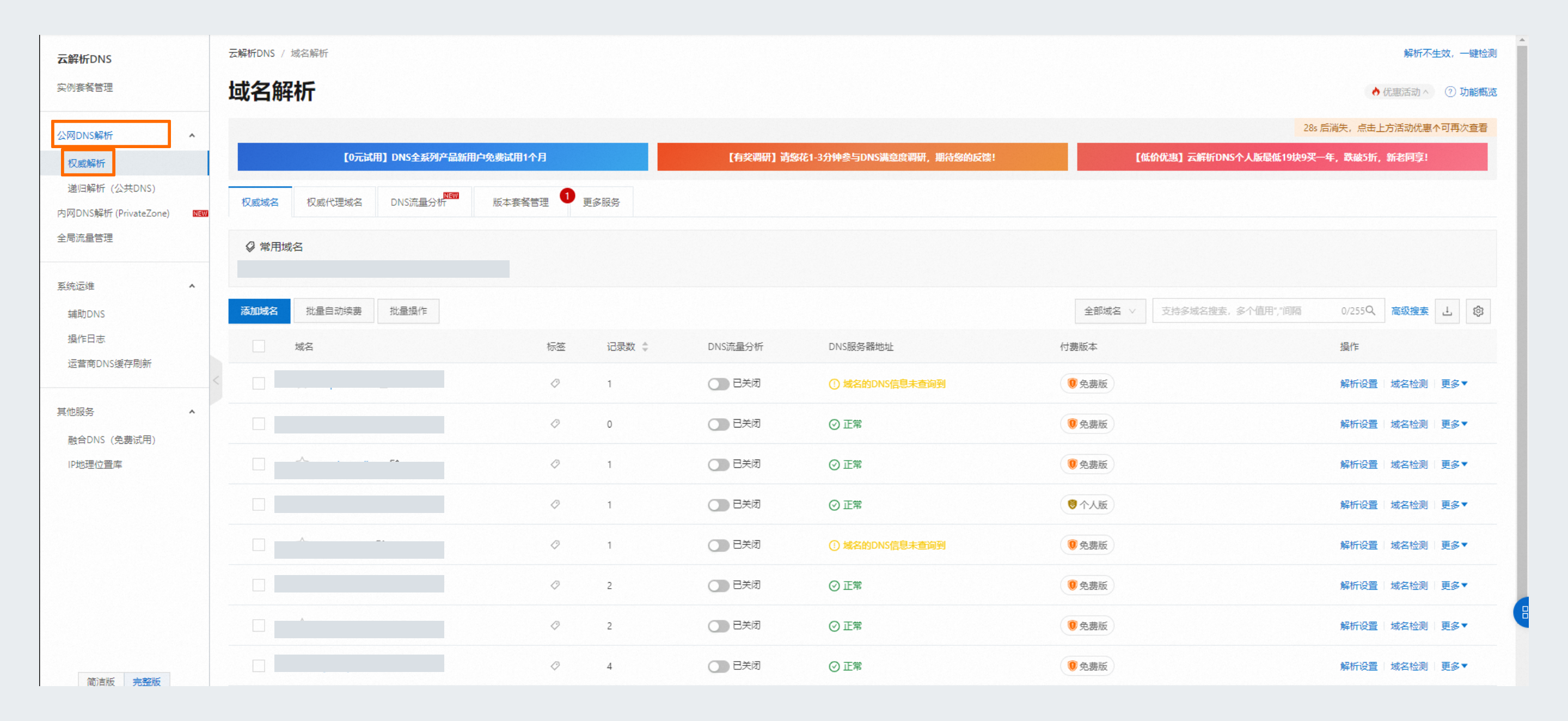
Log on to the Alibaba Cloud DNS console and, in the left-side navigation pane, choose Public DNS Resolution > Authoritative Resolution.
-
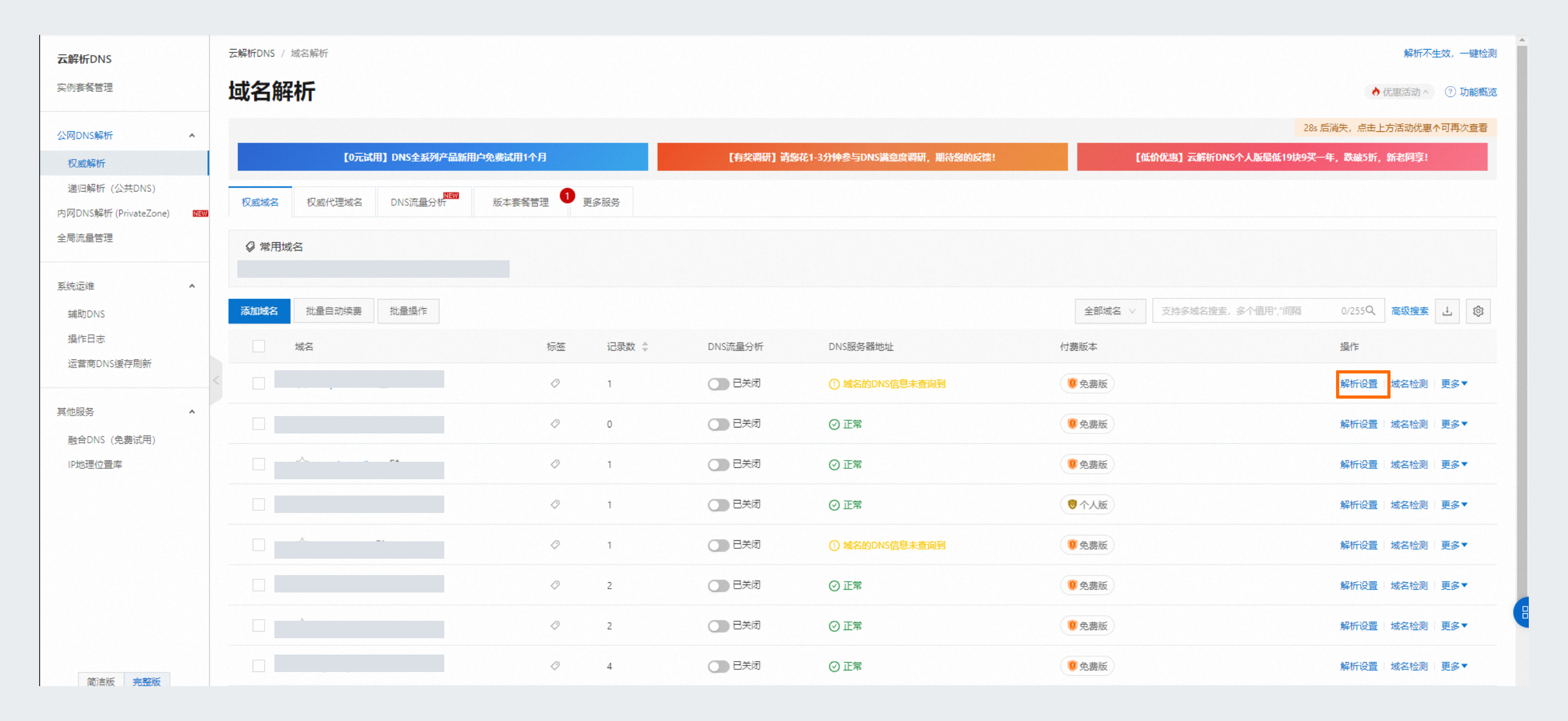
On the Domain Resolution page, click Resolution Settings in the Actions column of the target domain.
-
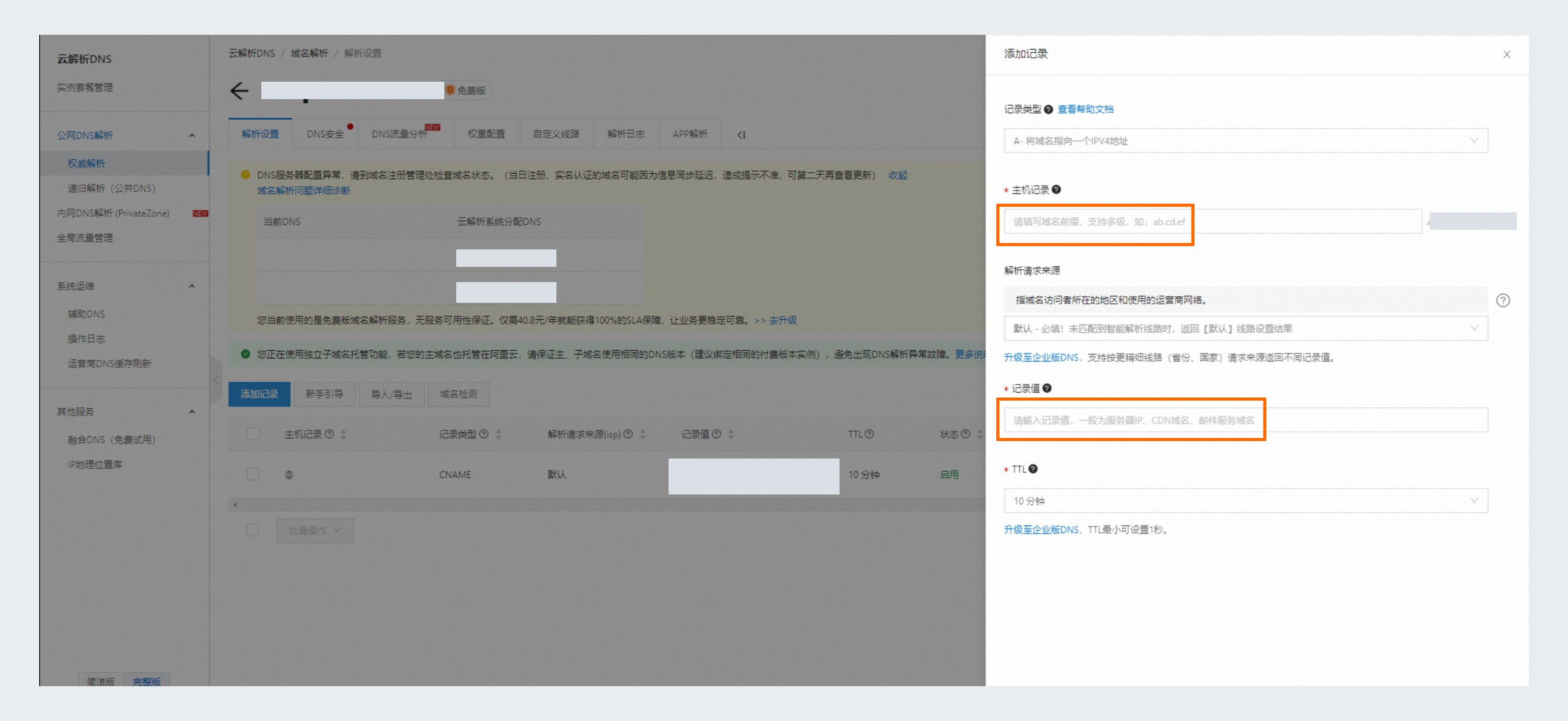
On the Resolution Settings tab, click Add Record. In the panel that appears, configure the following parameters and then click OK.
| Parameter | Description |
|---|---|
| Record Type | Select CNAME to point the domain to another domain. |
| Host | The domain prefix. Click the input box for the exact instructions. |
| Value | The default domain name of the Dedicated Edition enterprise instance. |
For private network scenarios, configure DNS resolution according to the enterprise network.
-
Choose a network protocol. HTTPS is recommended.

-
Select a certificate and click OK to complete the custom domain configuration. Changes take about 5 minutes to take effect; the instance is unavailable during the update, so proceed with caution.
If you do not have a certificate, click Upload Certificate to go to Alibaba Cloud Digital Certificate Management Service to upload one.
