

Repo Wiki automatically generates structured documentation for your project and continuously tracks changes in code and documentation.
When you query knowledge points, code explanations, or add feature enhancements during development, Repo Wiki deeply analyzes the project structure and code implementation. Combining Repo Wiki with context information, it provides more accurate and detailed answers and documentation support, giving the agent a deeper understanding of the codebase.
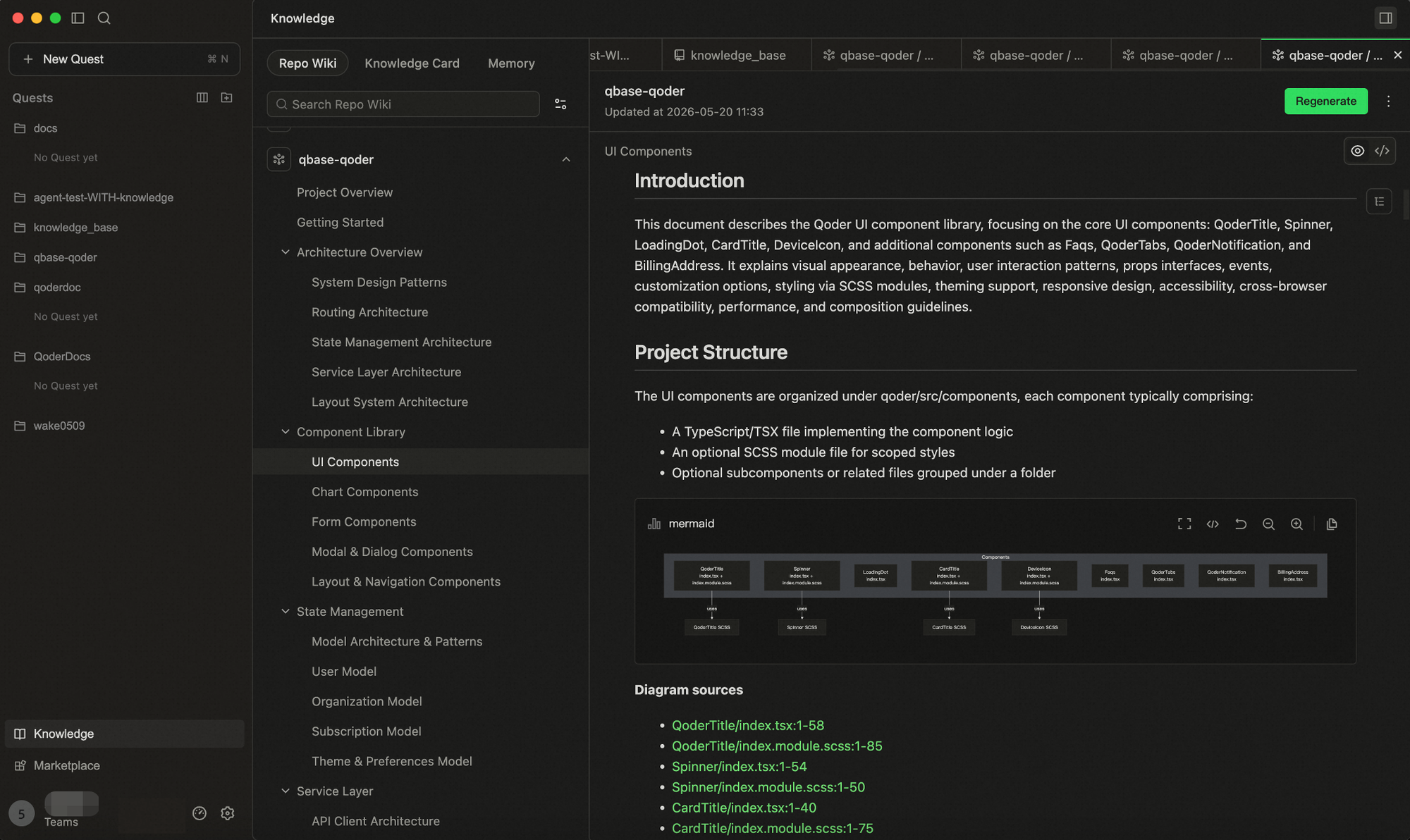
The Wiki in your repository is not static—it stays synchronized with your code.
The Wiki updates in three key scenarios. Understanding when and why it triggers helps you keep the Wiki updated in real-time.
Repo Wiki is not a "generate once and read-only" artifact. You can guide the direction through a configuration file before generation, or modify it anytime after generation. Every knowledge revision made by the team is recognized by the system as new cognitive deposits—it won't be overwritten by the next automatic update, but instead reverse-synced to the corresponding knowledge cards—truly embedding human judgment into knowledge assets.
Type
How to use:
Through a configuration file, you can inject guiding intent before Wiki generation to control direction and scope.
Type 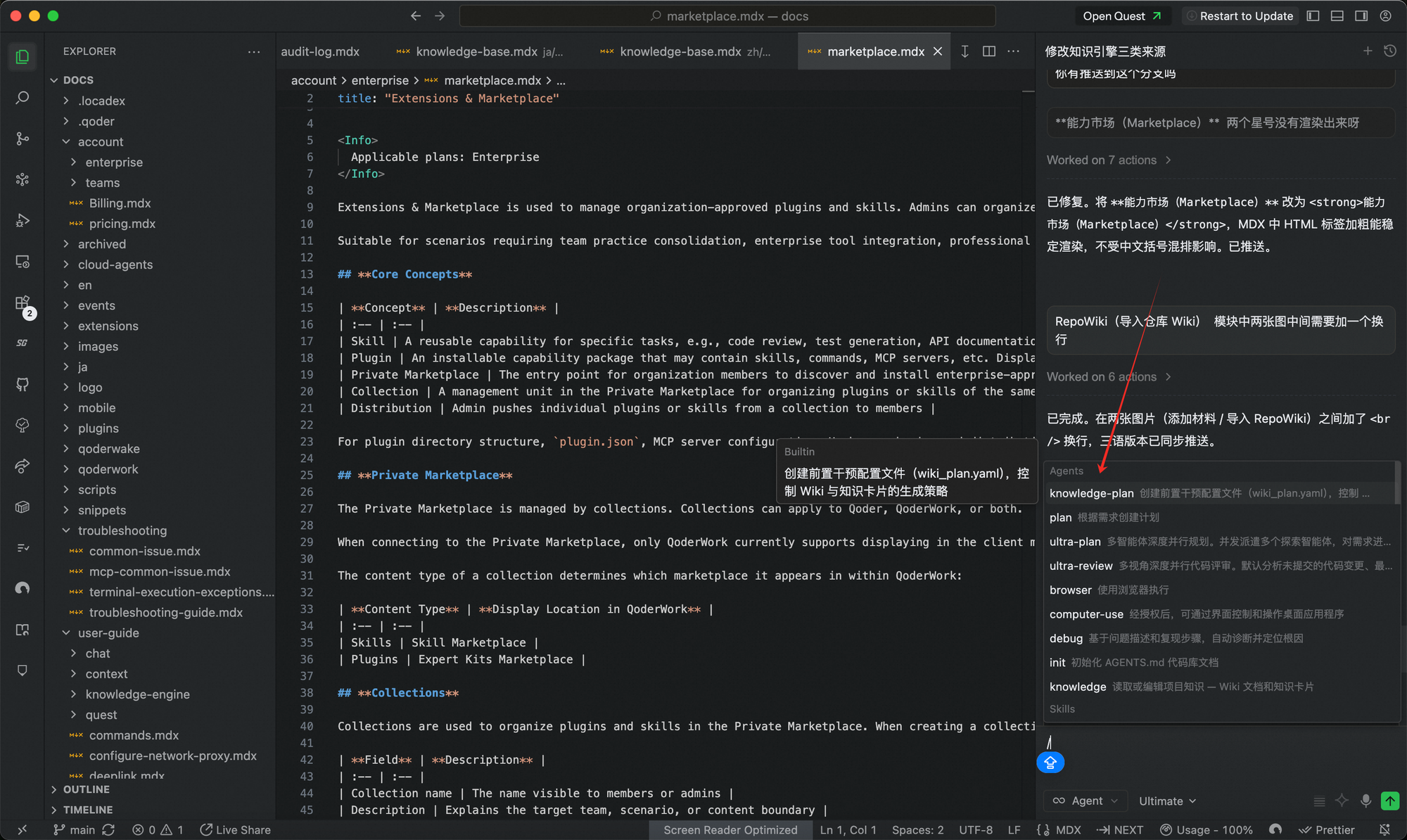
 File location:
This file is shared with the team via Git commits.
Configuration structure:
Key configuration options:
File location:
This file is shared with the team via Git commits.
Configuration structure:
Key configuration options:
Example:
Supports Wiki sharing to facilitate more efficient knowledge flow within the team.
Once a team administrator enables the Knowledge toggle in the Web console, any Repo Wiki generated by a team member is automatically synced to the team. Other members simply open the same repository branch and click Generate to automatically retrieve the team's latest knowledge—no manual pulling required. Any changes to the project's knowledge by team members are synced to everyone, ensuring the team's knowledge stays consistent and up-to-date.
When generating a Wiki locally, the system automatically creates a dedicated directory in your code repository: 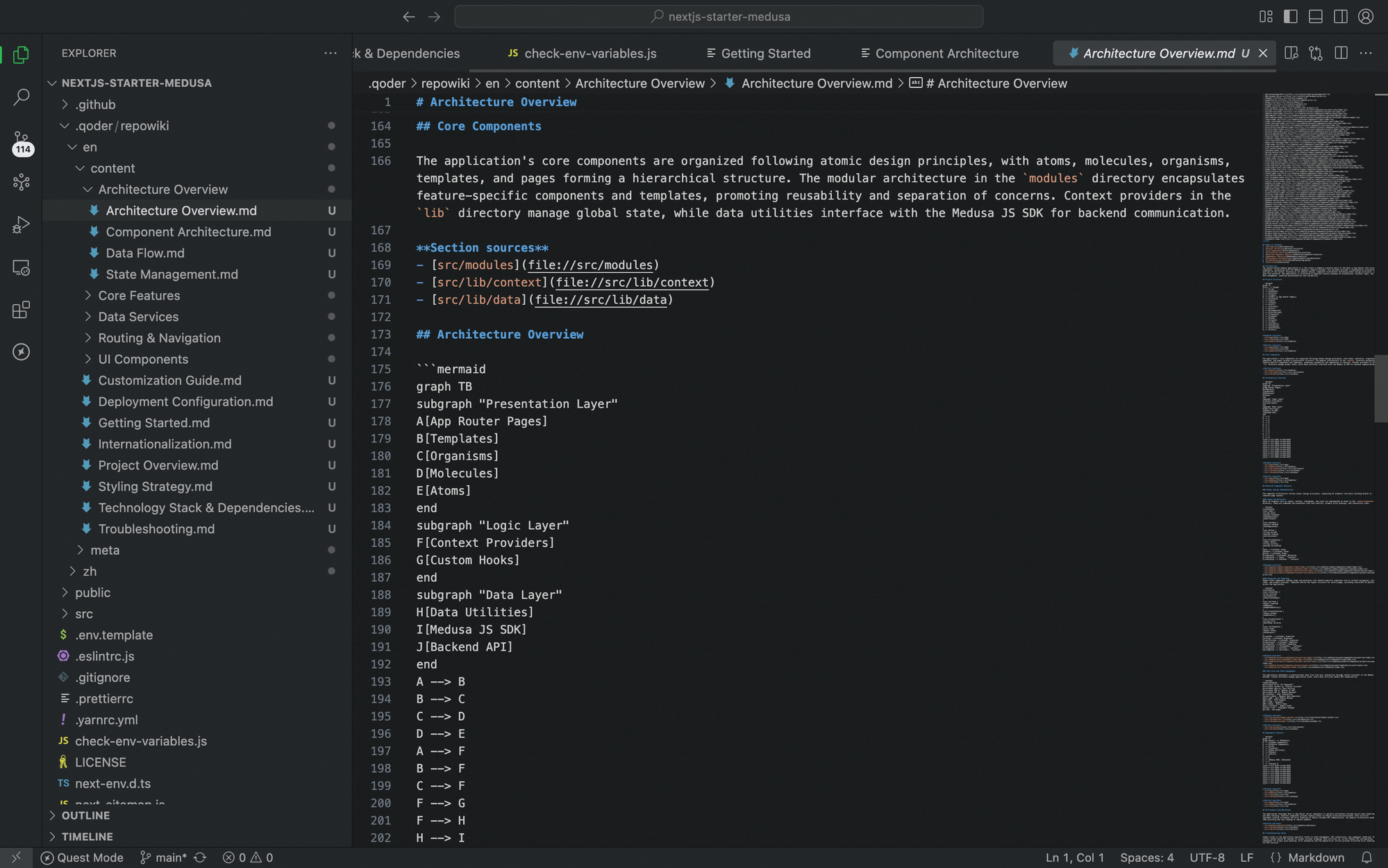 You can commit and push this directory to a remote branch. Team members can then pull the generated Wiki content via
The Wiki system supports multiple languages—you can select your preferred language when generating the Wiki. Currently, English and Chinese are supported.
When generating the Wiki, the system automatically creates independent directories for each selected language under the Git directory based on your language choices (e.g.,
Generating and updating the Repo Wiki consumes Credits as usual. You can check the consumption records in Usage - Credits.
Use Cases
- Architecture and Implementation Queries
Relying on pre-built architectural knowledge, the agent can quickly answer questions like "How is X implemented?" or "Which services depend on this module?" with almost no need to invoke tools. - Agent-Driven Development Tasks
When context width is limited, Repo Wiki accelerates code location, supporting tasks such as:- Adding new features
- Fixing bugs
Repo Wiki Generation
The Wiki in your repository is not static—it stays synchronized with your code.
The Wiki updates in three key scenarios. Understanding when and why it triggers helps you keep the Wiki updated in real-time.
- Initial Wiki Generation When you open a project for the first time, no Wiki exists by default. You can generate it from scratch with one click.
- Code Changes Detected After the initial generation, the system continuously monitors code changes. If you modify content already recorded by the Wiki (e.g., function signatures, class definitions, API endpoints), the system detects the inconsistency between the current code and the existing Wiki. You can click Update to regenerate only the affected parts.
- Git Directory Sync If you directly edit Markdown files in the Git directory, the system detects inconsistencies between the Git content and the Wiki. You can click Sync to synchronize the Git changes and update the Wiki.
- Generation Limits
- A maximum of 10,000 files per project. If your project contains more than 10,000 files, it is recommended to exclude non-essential paths in Qoder CN Settings → Codebase Indexing → Index Exclusions.
- Only supports Git repositories with at least one commit.
Intervening in Wiki Generation
Repo Wiki is not a "generate once and read-only" artifact. You can guide the direction through a configuration file before generation, or modify it anytime after generation. Every knowledge revision made by the team is recognized by the system as new cognitive deposits—it won't be overwritten by the next automatic update, but instead reverse-synced to the corresponding knowledge cards—truly embedding human judgment into knowledge assets.
/knowledge Command
Type /knowledge in the chat input to intervene in Repo Wiki and Knowledge Cards:
| Operation | Description |
|---|---|
| Generate | Generate Wiki or Knowledge Cards for the project for the first time |
| Modify | Make partial modifications to existing knowledge content |
| Supplement | Append new content to existing knowledge |
| Rewrite | Completely rewrite a knowledge page or card |
- Invoke
/knowledgein the input box - Enter your instruction describing the desired changes
- Optionally upload local files as reference (e.g., design docs, API docs)
- The Agent will modify the corresponding knowledge content based on your instruction
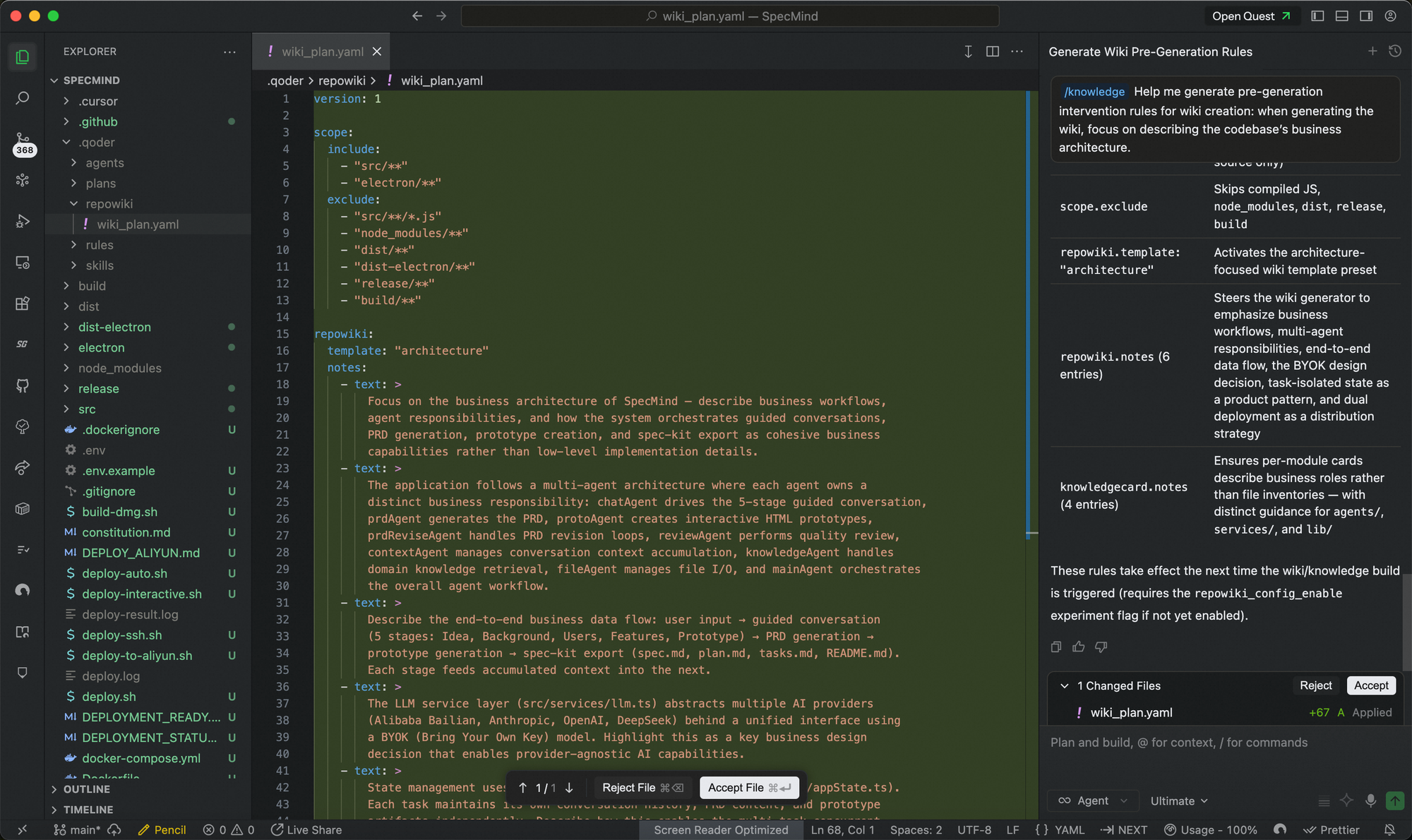
wiki_plan.yaml — Pre-Generation Configuration
Through a configuration file, you can inject guiding intent before Wiki generation to control direction and scope.
Type /knowledge-plan in the chat input to create or edit the wiki_plan.yaml pre-generation configuration file, controlling the generation strategy for Wiki and Knowledge Cards.
| Option | Description |
|---|---|
repowiki.template | Preset template: architecture (comprehensive technical analysis) or product_requirement (product requirements format output) |
repowiki.notes | Guidance prompts injected during planning to direct AI focus |
repowiki.documents | Page allowlist; when provided, pages are strictly generated per the list |
knowledgecard.notes | Knowledge card guidance prompts, influencing module partitioning |
scope.include / exclude | Controls which files are visible during generation |
After modifying
wiki_plan.yaml, you need to manually trigger "Generate" or "Regenerate" for changes to take effect.Repo Wiki Sharing
Supports Wiki sharing to facilitate more efficient knowledge flow within the team.
Once a team administrator enables the Knowledge toggle in the Web console, any Repo Wiki generated by a team member is automatically synced to the team. Other members simply open the same repository branch and click Generate to automatically retrieve the team's latest knowledge—no manual pulling required. Any changes to the project's knowledge by team members are synced to everyone, ensuring the team's knowledge stays consistent and up-to-date.
Team sharing syncs the generated Wiki documentation content only; it does not involve uploading the source code itself.
.qoder/repowiki.
git pull—no extra configuration required.
Multilingual Support
The Wiki system supports multiple languages—you can select your preferred language when generating the Wiki. Currently, English and Chinese are supported.
When generating the Wiki, the system automatically creates independent directories for each selected language under the Git directory based on your language choices (e.g., repowiki/zh/, repowiki/en/).
Billing
Generating and updating the Repo Wiki consumes Credits as usual. You can check the consumption records in Usage - Credits.
Data Security
Repo Wiki generation runs on your local client: it launches multiple Agents locally to handle task planning, code retrieval, documentation structure planning, and similar work. Agents only read the files in your repository that the task requires.
- No full-codebase upload: your complete codebase is never uploaded to the cloud during generation.
- No server-side retention: your code is not stored on the server; generated results are saved only in your local repository.
- Off by default: Repo Wiki is off by default and must be enabled by you; automatic incremental updates can be turned on or off at your discretion.