

This topic describes how to use the Qoder CN agent and AMAP MCP 2.0 to create a three-day travel guide webpage. You can then import the generated travel guide into the AMAP app to create a custom map, so you can use it for on-trip needs such as store discovery, navigation, ride-hailing, and ticket booking.
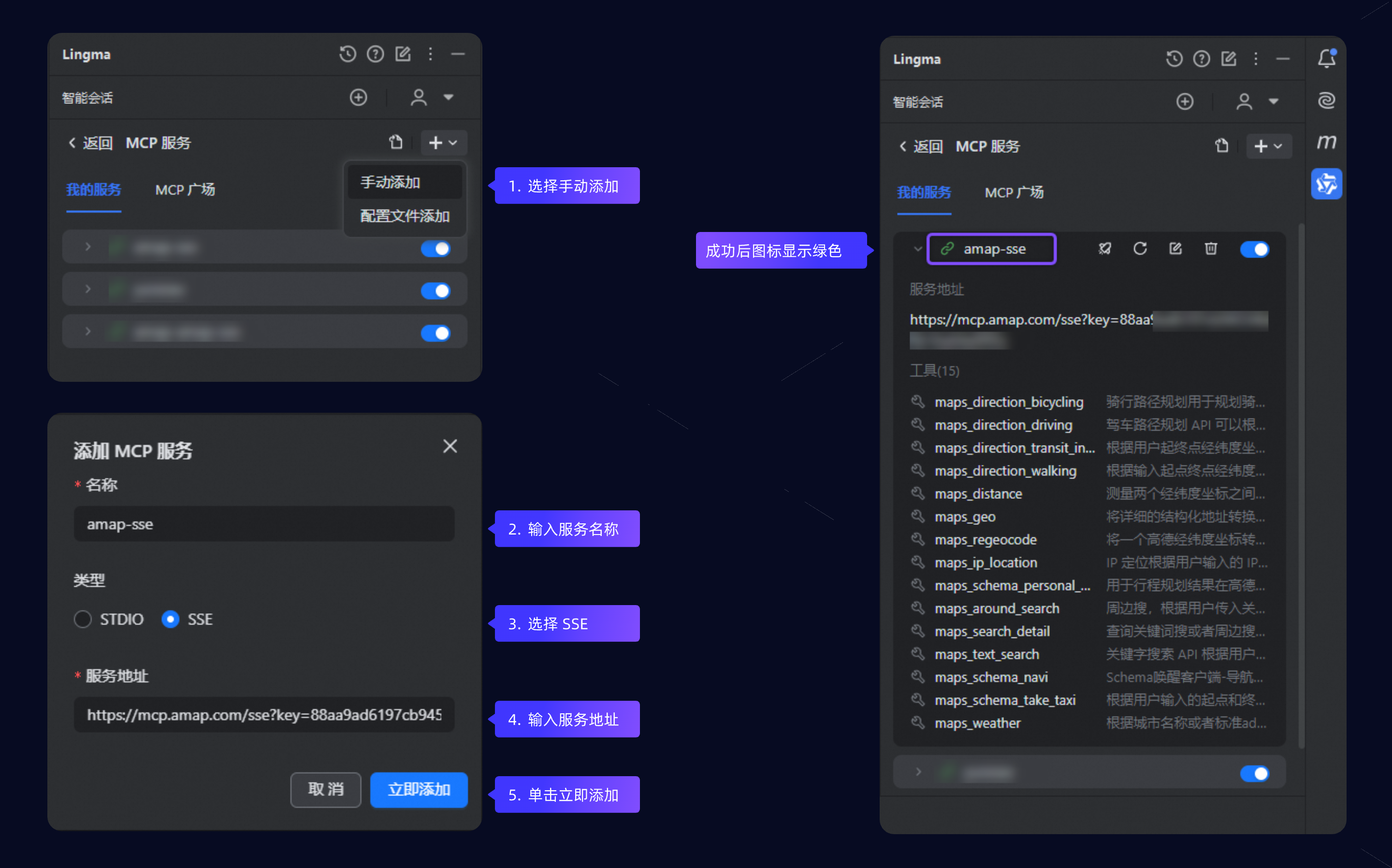
 3. Click + to the right of MCP Service and select Manually Add. On the Add MCP Service page, configure the following:
Prerequisites
- You have installed Qoder CN in your IDE, version 2.5 or later.
- You have obtained an AMAP key.
Video demo
Step 1: Add the MCP service
- Click the Qoder CN icon in the IntelliJ IDEA sidebar to open the Smart Session. This topic uses IntelliJ IDEA. The Qoder CN icon may be in a slightly different location in other IDEs; see the installation guide to enter the smart session.
- On the Smart Session page, you can access the MCP Service page in two ways:
- Method 1: Click the MCP Tool link in the welcome message to open the MCP Service page.
- Method 2: Click your avatar in the upper-right corner, select Personal Settings from the drop-down menu, and then click the bar under MCP Service on the Personal Settings page.
- Name: Enter a service name, for example,
amap-sse. - Type: Select SSE.
- Service endpoint:
https://mcp.amap.com/sse?key=<your AMAP key>. Replace<your AMAP key>with the key from Obtain an AMAP key. Do not include spaces.
- Click Add Now. When the link icon turns green, the MCP service has been added successfully.
Step 2: Generate the travel_tips.html file
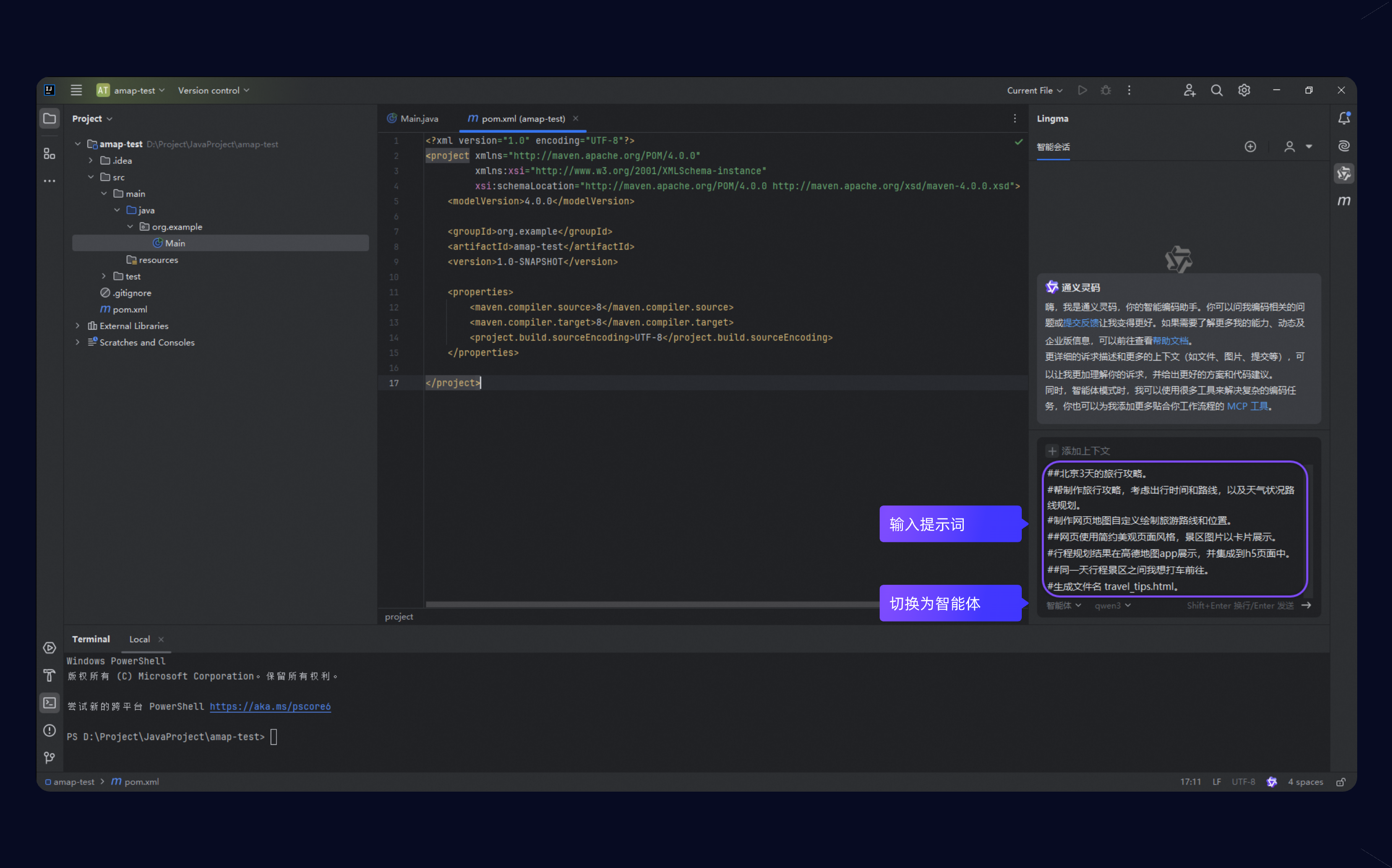
- Open the Qoder CN Smart Session dialog and switch to Agent mode.
-
Enter the following prompt in the dialog and press Enter:
-
Qoder CN plans the task and calls the necessary tools autonomously, ultimately generating the
travel_tips.htmlfile.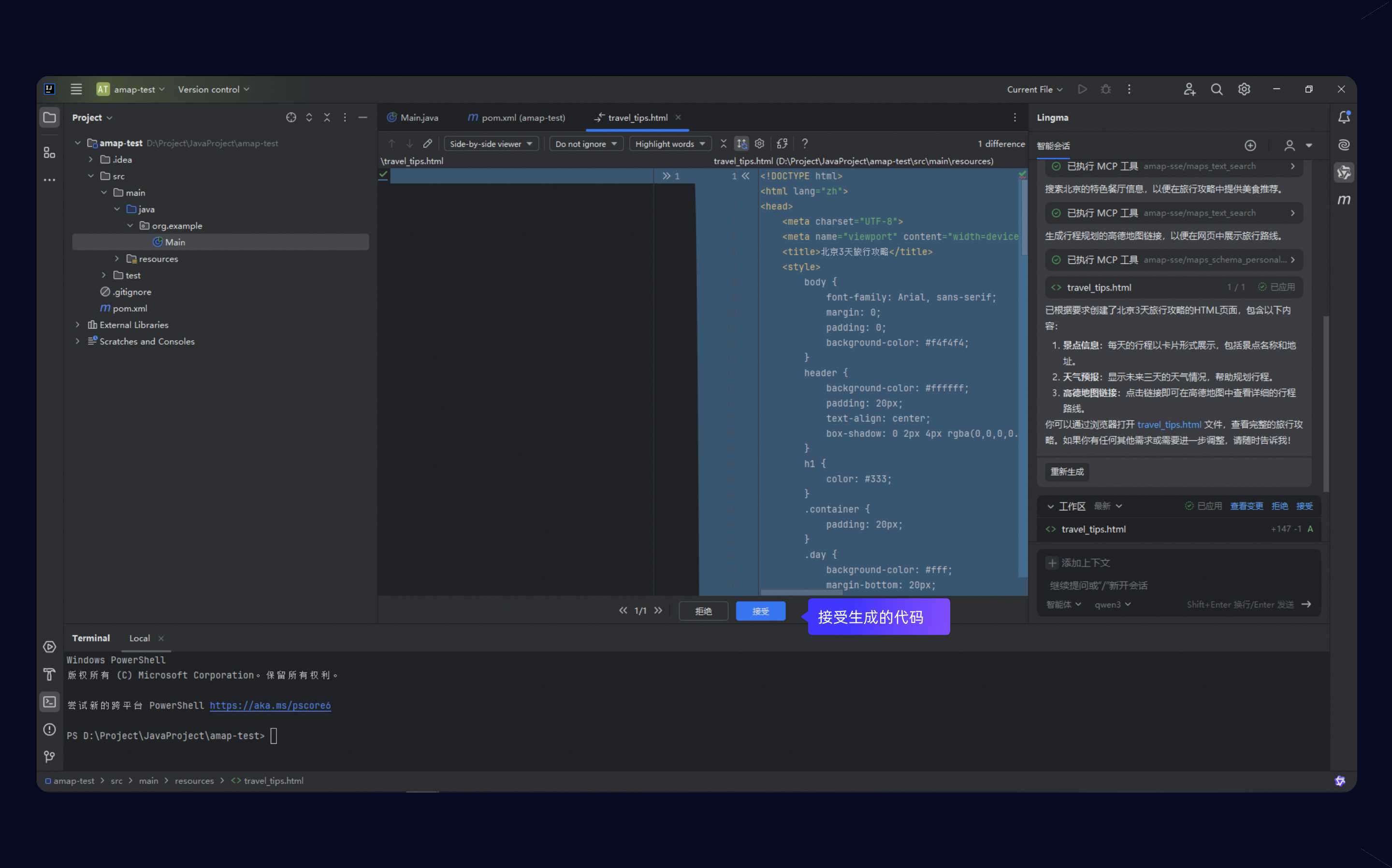
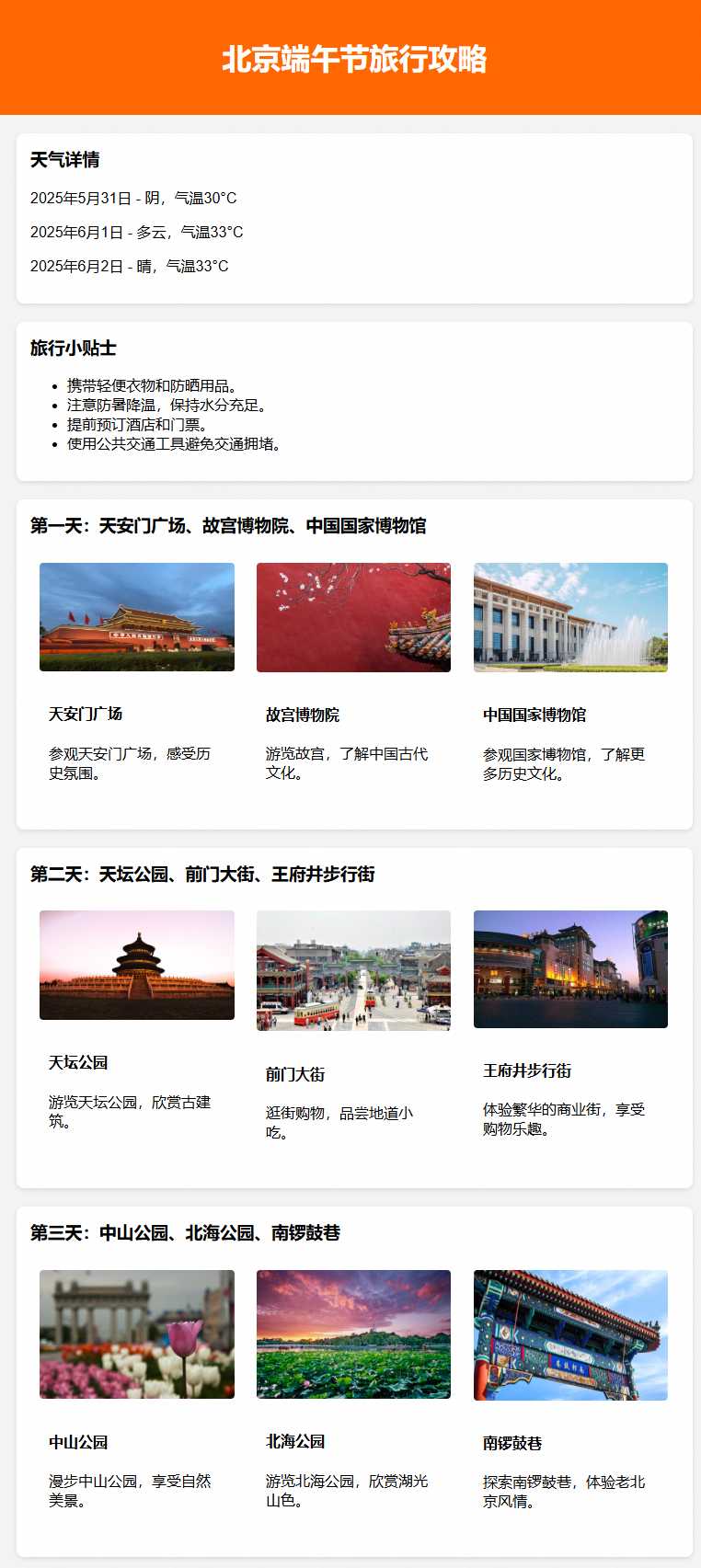
- The final generated page is shown below.
- If the appearance, layout, font, or color of the generated page does not meet your expectations, continue the conversation with Qoder CN to refine it.
- If you cannot view the preview, select the Qoder CN agent model and let the AI generate a preview for you.