

Bring professional tools into the conversation.
An app plugin places your interface beside a task conversation so you can inspect models, adjust parameters, and continue working in one place.
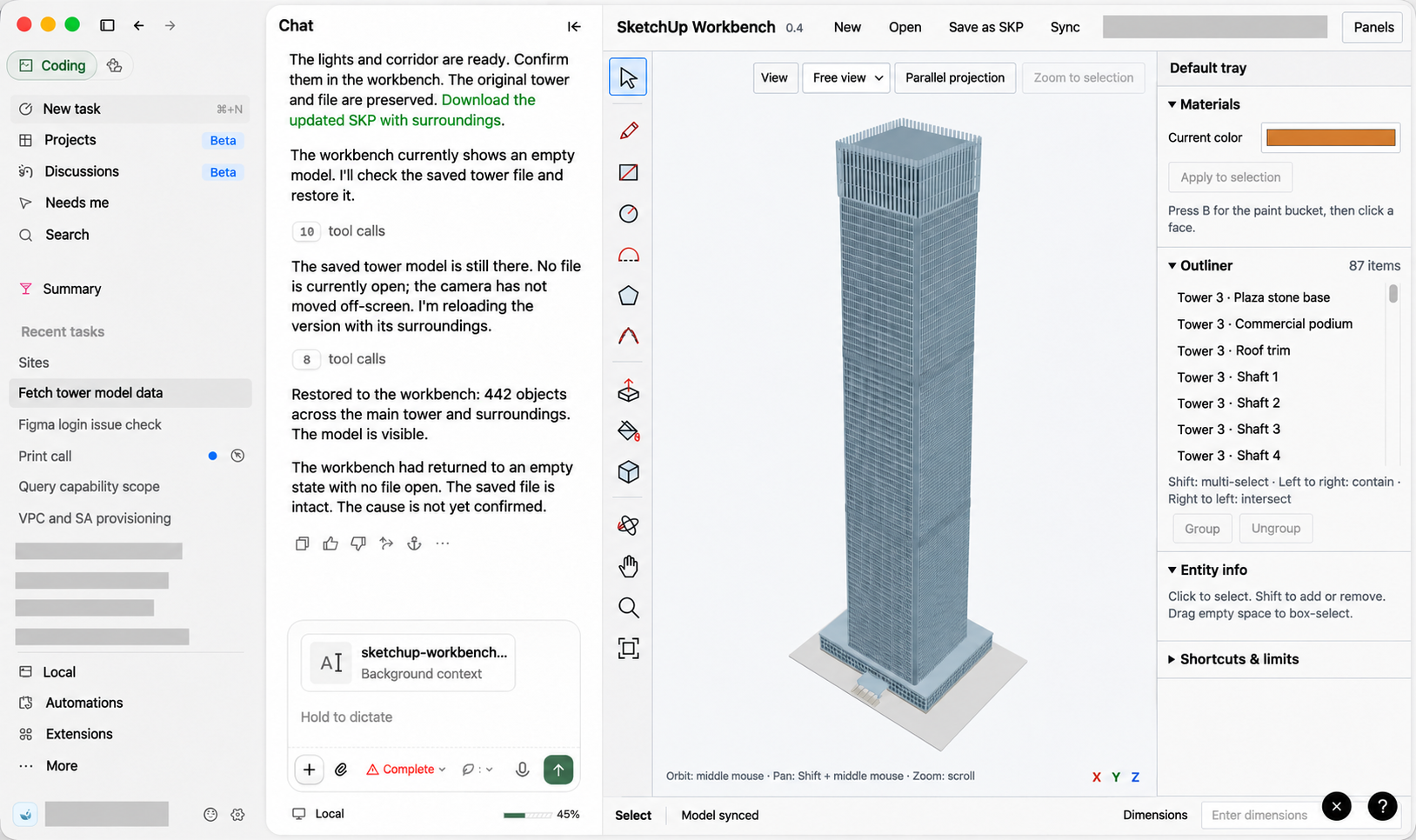 3D modeling workbench demonstration.
The example keeps the task conversation and execution history on the left. The right side contains a building model, toolbar, materials, and an object outline. Describe a task in the conversation while inspecting and editing the model in the workbench.
Use extension UI when a task needs a 3D view, an interactive chart, or specialized input controls. A regular plugin is suitable when task instructions and tool calls are enough.
App plugins are plugins with a dedicated interactive interface.
Next: UI guidelines → Quickstart.